Want to make your laptop faster with an SSD upgrade?
Professional SSD installation from £149.99.
• New compatible SSD • Faster startup & loading • Windows installation/setup • SATA & M.2 options where compatible • Professional fitting
Final price depends on SSD type and capacity.
Security policy
Secure SSL protected website, so purchase with confidence.
Delivery policy
UK Collection & Delivery options, drops off in person if you are local are welcome.
Return policy
Free returns for 7 Days after you receive your repaired item, to ensure your happy with your repair.
Product Details
Is your laptop slow to start, taking a long time to open programs or still using an older mechanical hard drive?
Our laptop SSD upgrade service starts from £149.99 and can significantly improve startup times, application loading and general system responsiveness.
Benefits of an SSD Upgrade
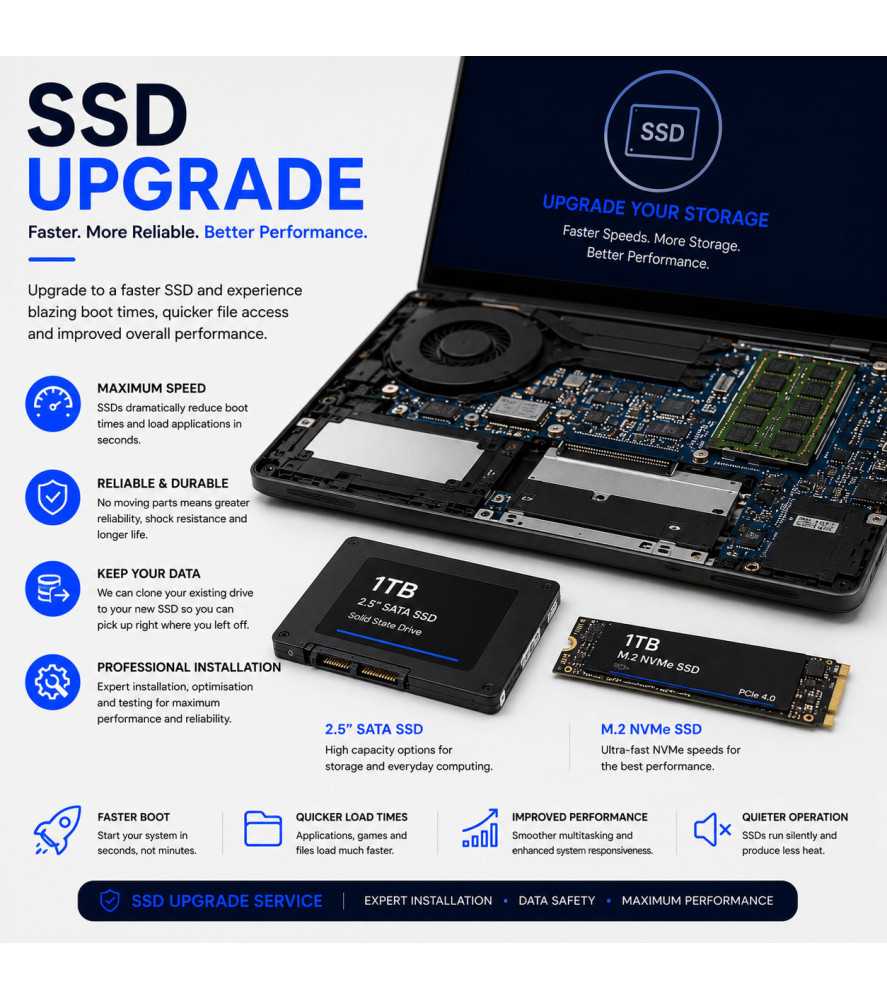
• Faster Windows startup • Faster application loading • Improved general responsiveness • No mechanical moving parts • Lower operating noise than a traditional HDD
SATA & M.2 SSD Upgrades
Depending on the laptop, storage may use a traditional 2.5-inch SATA connection or an M.2 SSD.
We identify the compatible drive type and can advise on suitable storage capacities.
What Is Included?
• New compatible SSD • Professional installation • Windows installation or setup as applicable • Driver installation where available • System testing
SSD Capacity & Final Price
The final cost depends on the type and storage capacity of SSD selected. Higher-capacity and specialist SSDs may increase the price.
Bolton & UK-Wide Laptop SSD Upgrades
SSD upgrades are available locally from Console Wizard in Bolton and through our UK-wide laptop service.
Frequently Asked Questions About Laptop SSD Upgrades
Will an SSD make my laptop faster?
Replacing a mechanical hard drive with an SSD can significantly reduce startup and application loading times because an SSD accesses data electronically rather than using mechanical moving parts.
Can every laptop be upgraded to an SSD?
Most laptops using replaceable SATA or M.2 storage can accept an SSD, but the exact type depends on the laptop's hardware and available interfaces.
What is the difference between SATA and M.2 SSDs?
SATA SSDs commonly use the traditional 2.5-inch drive format, while M.2 SSDs are smaller circuit-board style drives fitted directly to a compatible motherboard slot. M.2 drives can use different interfaces, so compatibility must be checked.
Can you install Windows onto the new SSD?
Yes. Windows installation or setup can be completed as part of the upgrade where applicable.
Can I choose the storage capacity?
Yes. Available capacity depends on compatibility and your requirements. Larger or specialist SSDs can increase the final price.

 Security policy
 Delivery policy
 Return policy