Is your desktop PC slow to start, taking too long to open programs or still running Windows from an older mechanical hard drive?
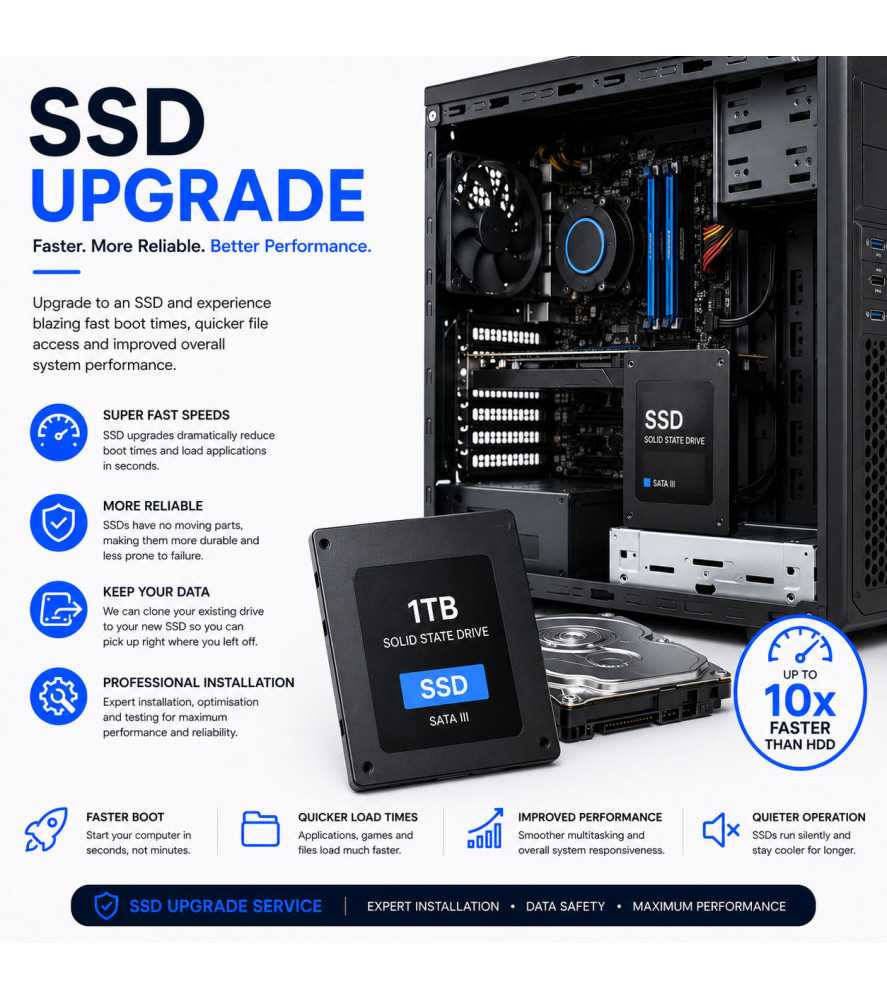
Upgrading to a solid-state drive (SSD) is one of the most effective ways of improving the everyday responsiveness of a compatible desktop computer.
Our professional PC SSD upgrade service starts from £149.99 and includes a compatible SSD, installation and the appropriate Windows setup for the selected upgrade.
Local PC SSD upgrades are available from our Bolton repair centre, with a UK-wide upgrade service available throughout the country.
Why Upgrade a PC to an SSD?
A traditional hard disk stores data on rotating magnetic platters. An SSD uses flash memory and does not rely on the same mechanical platter and read/write-head system.
Moving Windows from a mechanical HDD to an SSD can provide significant improvements in everyday storage performance.
Benefits can include:
• Faster Windows startup
• Faster application loading
• Improved system responsiveness
• Faster file access
• Reduced mechanical-drive noise
• Improved performance when storage speed is the existing bottleneck
The exact improvement depends on the specification and condition of the rest of the computer.
SATA SSD and NVMe SSD Upgrades
Desktop PCs can support different types of solid-state storage depending on the motherboard and age of the computer.
Possible options include:
• 2.5-inch SATA SSD
• M.2 SATA SSD where supported
• M.2 NVMe SSD where supported
NVMe drives use a different interface from conventional SATA storage and can provide substantially greater transfer performance where the motherboard supports them.
We check compatibility before fitting the replacement storage.
What Is Included in the SSD Upgrade?
The service includes:
• Compatible SSD according to the selected option
• Professional installation
• Windows installation or setup where appropriate
• Available driver installation where required
• Storage and system testing
• 3-month warranty covering the original upgrade work
The final price depends on the SSD type, capacity and specification selected.
Windows Installation or Data Migration
If the existing drive is healthy and readable, it may be possible to migrate an existing Windows installation or customer data to the new SSD depending on the configuration and condition of the original system.
In other cases, a fresh Windows installation may provide the most reliable result.
If the original HDD or SSD has failed and files need to be recovered, data recovery may be required as a separate service.
Can You Upgrade a Gaming PC to NVMe Storage?
Many modern gaming PCs and desktop motherboards support M.2 NVMe SSDs, although compatibility depends on the motherboard specification, available M.2 slots and supported PCIe interface.
We can determine which storage options are compatible before carrying out the upgrade.
Will an SSD Make Every PC Faster?
An SSD can significantly improve storage-related performance, particularly on computers currently using a mechanical HDD.
However, an SSD cannot compensate for every performance limitation. Insufficient RAM, an older processor, overheating, malware or other hardware problems may still affect overall performance.
If your computer has several performance limitations, we can advise you whether an SSD upgrade alone is worthwhile.
PC SSD Upgrades in Bolton and Across the UK
Customers in Bolton and Greater Manchester can bring their desktop or gaming PC directly to our repair centre.
Customers elsewhere in the country can use our UK-wide service for PC SSD replacement and storage upgrades.
PC SSD Upgrade FAQs
How much does a PC SSD upgrade cost?
Our SSD upgrade service starts from £149.99. The final price depends on the SSD capacity, interface and specification selected.
Does the price include the SSD?
Yes. The service includes a compatible SSD according to the storage option selected.
Can you install an M.2 NVMe SSD?
Yes, where the desktop motherboard has a compatible M.2 slot and supports the required NVMe interface.
Will an SSD make my computer faster?
A PC currently using a mechanical hard drive will usually gain significantly faster storage access, Windows startup and application loading from an SSD upgrade.
Can you transfer my existing Windows installation?
Migration may be possible where the original drive and Windows installation are healthy and compatible with the new configuration. Otherwise, a fresh Windows installation may be preferable.
What if my existing hard drive has failed?
The SSD can replace a failed drive, but recovering files from the failed drive is a separate service where data recovery is required.

 Security policy
 Delivery policy
 Return policy