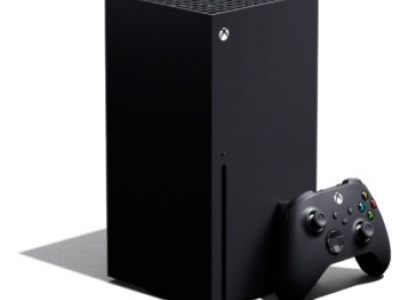
Is your Xbox Series X fan noisy, not spinning or causing the console to overheat and shut down?
The large internal cooling fan is essential for moving air through the Xbox Series X and removing heat generated during use. If the fan becomes faulty, damaged or stops rotating correctly, the console can become excessively hot and may shut itself down to protect the internal hardware.
Console Wizard provides a professional Xbox Series X fan replacement service using a genuine Xbox Series X replacement fan.
This repair is currently £89.99 and a successfully completed repair receives our standard 3-month warranty.
Common Xbox Series X Fan Problems
Your Xbox Series X cooling fan may require replacement if you are experiencing:
• Xbox Series X fan making excessive noise
• Grinding, rattling or unusual fan noises
• Cooling fan not spinning
• Fan starting and stopping unexpectedly
• Console becoming excessively hot
• Xbox Series X overheating
• Console shutting down during games
• Overheating or ventilation warning messages
A faulty fan should be investigated because continued use of a console without adequate airflow can result in excessive internal temperatures.
Xbox Series X Fan Replacement
The Xbox Series X uses a large internal fan to draw air through the console's cooling system and exhaust warm air through the upper ventilation area.
If the fan develops a mechanical or electrical fault, it may become noisy, rotate incorrectly or stop spinning completely.
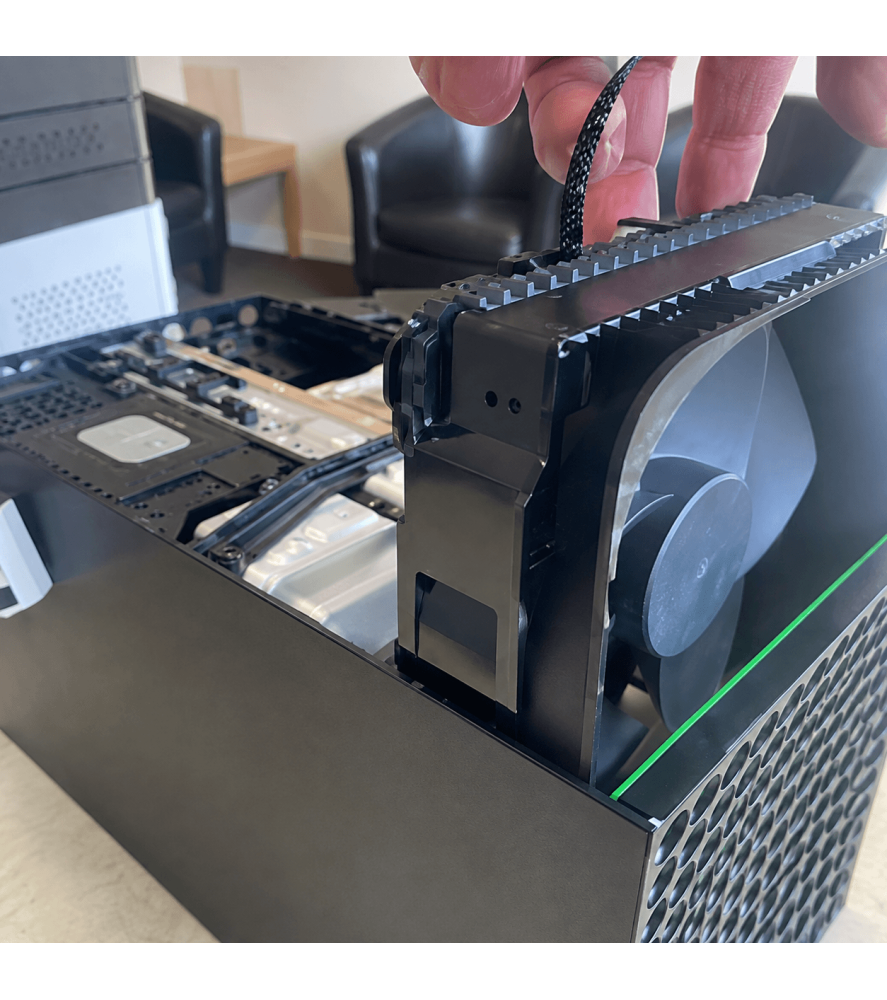
Our engineer professionally dismantles the Xbox Series X, removes the faulty cooling fan and installs a genuine Xbox Series X replacement fan.
The console is then reassembled and tested to confirm that the replacement fan is operating correctly.
What Does Our Xbox Series X Fan Repair Include?
Our professional Xbox Series X fan replacement service includes:
• Professional Xbox Series X dismantling
• Inspection of the existing cooling fan
• Removal of the faulty fan
• Genuine Xbox Series X replacement fan
• Inspection of the fan connection
• Console reassembly
• Cooling fan operation testing
• Final console functionality testing
• 3-month repair warranty
Genuine Xbox Series X Replacement Fan
We use a genuine replacement fan for this Xbox Series X repair.
Using the correct fan ensures the replacement is designed for the console's cooling system and maintains the correct physical fit and operation.
Once fitted, the fan is tested to confirm that it starts, rotates correctly and provides airflow through the console.
Xbox Series X Fan Making a Loud Noise
An Xbox Series X should produce some fan noise when operating, particularly when the console is under load, but grinding, rattling, scraping or unusually loud mechanical noises can indicate a problem with the cooling fan.
A fan can become noisy because of wear within the fan assembly, physical damage or an obstruction affecting its movement.
If the noise is being generated by a faulty fan assembly, replacing the fan can restore normal cooling operation.
Xbox Series X Fan Not Spinning
If the Xbox Series X cooling fan is not spinning, the console cannot move air through its cooling system effectively.
This can cause internal temperatures to rise quickly, particularly when playing demanding games.
The console may respond by displaying an overheating warning or shutting itself down to protect the hardware.
If you can confirm that the fan is not operating, we recommend avoiding extended use of the console until the fault has been repaired.
Xbox Series X Overheating and Shutting Down
A faulty cooling fan is one possible cause of an Xbox Series X overheating or unexpectedly shutting down.
The console generates considerable heat during operation and relies on a combination of its heatsink, internal airflow and cooling fan to maintain appropriate operating temperatures.
If the fan fails, airflow through the console can be dramatically reduced.
The Xbox Series X may then shut itself down when internal temperatures become too high.
However, not every overheating or shutdown problem is caused by a faulty fan.
Not Every Xbox Series X Overheating Fault Is the Fan
If your Xbox Series X is overheating or shutting down but the fan is still operating normally, another cooling or hardware problem may be responsible.
Possible causes can include:
• Heavy internal dust contamination
• Restricted airflow through the heatsink
• Blocked ventilation areas
• Cooling-system problems
• Power-related faults
• Motherboard faults
If inspection shows that the fan itself is working correctly and another fault is responsible, we will contact you and explain what has been found before carrying out a different repair.
Xbox Series X Fan Running Fast or Constantly
A fan that is spinning quickly does not necessarily mean that the fan itself is faulty.
The cooling system may increase fan speed when the console becomes hotter and requires additional airflow.
If your Xbox Series X fan has become noticeably louder but there are no grinding, rattling or mechanical noises, the console may instead require internal cleaning or servicing.
Dust accumulated within the heatsink and ventilation system can restrict airflow and make the cooling system work harder to maintain normal temperatures.
Fan Fault or Xbox Series X Full Service?
It is important to distinguish between a physically faulty cooling fan and a console that simply requires internal servicing.
If the fan is grinding, rattling, damaged or not spinning correctly, replacement may be required.
If the fan operates correctly but the Xbox Series X runs hot or the fan speed has increased because airflow is restricted, a full internal service may be more appropriate.
Our engineers can inspect the console and determine whether the fan itself is responsible for the problem.
Why Does an Xbox Series X Fan Become Faulty?
The cooling fan operates whenever required to regulate the console's internal temperature and can accumulate many hours of use over the life of the Xbox Series X.
Fan problems can develop because of:
• Mechanical wear within the fan assembly
• Physical damage to the fan blades
• Foreign objects entering the ventilation system
• Heavy contamination around the cooling system
• Damage during previous dismantling or repair
• Electrical failure within the fan assembly
A damaged fan should be correctly replaced rather than continuing to operate the console with reduced cooling performance.
Xbox Series X Fan Starts Then Stops
If the cooling fan attempts to rotate but repeatedly stops, this can indicate a problem with the fan assembly or its electrical supply.
A fan that cannot maintain normal rotation may not provide sufficient airflow to cool the console properly.
Our engineer can inspect the fan and its connection when the Xbox Series X is dismantled.
If the fan itself is faulty, it can be replaced using the correct genuine replacement component.
Professional Xbox Series X Cooling Fan Repair
Replacing an Xbox Series X cooling fan requires the console to be dismantled correctly to access the internal cooling assembly.
Our engineers professionally dismantle the console, inspect the fan and cooling area and replace the faulty component where required.
After installation, the console is reassembled and tested to ensure the replacement fan is operating correctly.
Console Wizard has been carrying out professional electronics and games console repairs since 2008.
3-Month Xbox Series X Fan Repair Warranty
A successfully completed Xbox Series X fan replacement receives our standard:
3-month warranty covering the original repaired fault.
The warranty covers the replacement fan and the repair work associated with the original fan fault.
It does not provide a general warranty covering unrelated components or different faults that may subsequently develop.
New accidental or physical damage is also excluded from the original repair warranty.
Local Xbox Series X Fan Repair in Bolton
Looking for an Xbox Series X fan replacement in Bolton?
Console Wizard provides professional Xbox Series X repairs from our repair centre at 517 Tonge Moor Road, Bolton, Greater Manchester, BL2 3BG.
Local customers can bring their Xbox Series X directly to us if the fan is noisy, faulty, not spinning or the console is experiencing overheating problems.
No appointment is required during our normal opening hours.
UK-Wide Xbox Series X Fan Replacement
You do not need to live near Bolton to use Console Wizard.
We provide Xbox Series X fan repairs and replacements to customers throughout the UK.
Customers outside the local area can send their console to our Bolton repair centre using our UK collection and delivery service.
The Xbox Series X is professionally repaired and tested before being returned to you.
Xbox Series X Fan Replacement FAQs
Can you replace a faulty Xbox Series X fan?
Yes. If the cooling fan is faulty, noisy, damaged or no longer spinning correctly, we can professionally replace it using a genuine Xbox Series X replacement fan.
Why is my Xbox Series X fan so loud?
Grinding, rattling or unusual mechanical noises can indicate a faulty fan. However, a fan simply running faster than normal can also be caused by restricted airflow, dust contamination or increased internal temperature.
Why isn't my Xbox Series X fan spinning?
The fan itself may have developed a mechanical or electrical fault. A connection or other internal problem can also prevent the fan from operating, so the console should be inspected.
Can a faulty fan make my Xbox Series X shut down?
Yes. If the cooling fan stops operating, internal temperatures can rise and the console may shut itself down to protect its hardware.
Does overheating always mean the fan is faulty?
No. Dust contamination, restricted airflow and other cooling or hardware faults can also cause overheating. If the fan is working correctly, further investigation may be required.
Do you use a genuine Xbox Series X fan?
Yes. This repair uses a genuine replacement Xbox Series X fan.
Is the fan replacement covered by a warranty?
Yes. A successfully completed repair receives our standard 3-month warranty covering the original repaired fault.
Can I bring my Xbox Series X directly to you?
Yes. Local customers can bring their console directly to our repair centre at 517 Tonge Moor Road, Bolton, Greater Manchester, BL2 3BG. No appointment is required during our normal opening hours.
Can I send my Xbox Series X to you for fan replacement?
Yes. Console Wizard provides a UK-wide Xbox Series X repair service, allowing customers throughout the UK to send their console to our Bolton repair centre.
Why Choose Console Wizard for Xbox Series X Fan Replacement?
If your Xbox Series X fan is noisy, faulty, damaged or has stopped spinning, replacing the defective cooling fan can restore the console's normal airflow and cooling operation.
Console Wizard professionally dismantles the Xbox Series X and replaces the faulty component using a genuine Xbox Series X replacement fan.
The console is reassembled and tested after the repair, and a successfully completed fan replacement receives our standard 3-month warranty.
Console Wizard has provided professional electronics and games console repair services since 2008, with repairs carried out from our repair centre in Bolton, Greater Manchester.
Local customers can bring their Xbox Series X directly to us, while our UK-wide repair service allows customers throughout the country to send their console to us for professional repair.

 Security policy
 Delivery policy
 Return policy