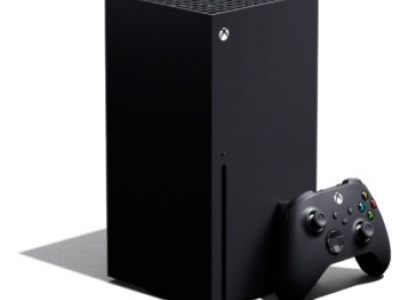
Is your Xbox Series X overheating, becoming unusually noisy or shutting itself down while playing games?
These symptoms can occur when the console is no longer transferring and removing heat effectively. Dust can accumulate within the heatsink and restrict airflow, while the thermal compound between the APU and cooling assembly can deteriorate over time.
Console Wizard provides a professional Xbox Series X overheating repair and full internal cooling service designed to restore effective heat transfer and airflow through the console.
For £69.99, we completely dismantle the Xbox Series X, clean the internal cooling system and heatsink, remove the original thermal compound and apply fresh Arctic MX-4 high-performance thermal compound. The internal thermal strips are also replaced as part of the service.
A successfully completed service receives our standard 3-month warranty covering the original fault.
Please note: this service does not include replacement of the cooling fan. If the fan itself is faulty and requires replacement, this is a separate repair.
Common Xbox Series X Overheating Symptoms
Your Xbox Series X may benefit from a full cooling service if you are experiencing:
• Xbox Series X overheating
• Console shutting down while playing games
• Fan becoming increasingly loud during gameplay
• Console running hotter than previously
• Xbox Series X games causing shutdowns
• More demanding games causing the console to switch off
• Fan speed increasing significantly under load
• Excessive dust visible around the ventilation areas
If the console is shutting itself down because of excessive temperature, continuing to repeatedly restart and use it without addressing the underlying cooling problem is not recommended.
Why Does an Xbox Series X Overheat?
The Xbox Series X generates a considerable amount of heat when playing games and relies on its cooling system to transfer that heat away from the main APU.
The cooling fan moves air through the console and heatsink before exhausting warm air through the upper ventilation area.
Over time, dust and debris can accumulate within the heatsink and internal airflow path.
This restricts the amount of air that can pass through the cooling system and reduces its ability to remove heat efficiently.
The thermal compound between the APU and cooling assembly can also deteriorate over time, reducing the efficiency of heat transfer away from the processor.
As temperatures increase, the Xbox Series X attempts to compensate by increasing fan speed.
If adequate cooling can no longer be maintained, the console may eventually protect itself by shutting down.
Xbox Series X Fan Getting Louder and Louder
A fan becoming louder does not automatically mean that the fan itself is faulty.
The Xbox Series X regulates its cooling fan according to the temperature of the console. When additional cooling is required, the fan can increase its speed to move more air through the heatsink.
If the heatsink is heavily contaminated with dust or heat is not transferring efficiently from the APU, the console may compensate by running the fan at a higher speed.
This can make the Xbox Series X sound considerably louder during demanding games.
If the fan is spinning normally but becoming increasingly fast and loud as the console heats up, a full internal cooling service may be more appropriate than replacing the fan.
Xbox Series X Shutting Down While Playing Games
One of the common symptoms of an overheating Xbox Series X is the console switching itself off while playing games.
This can sometimes be more noticeable when playing demanding Xbox Series X titles because the console is operating under a greater processing load and generating more heat.
You may find that less demanding games or applications operate for longer while certain games cause the console to shut down.
If cooling performance has deteriorated, the console may reach its thermal protection threshold and shut itself down.
A full internal service addresses the cooling system by cleaning the heatsink, renewing the thermal compound and replacing the internal thermal strips.
What Does Our Xbox Series X Full Service Include?
Our professional Xbox Series X overheating and cooling service includes:
• Complete dismantling of the Xbox Series X
• Internal dust and debris removal
• Thorough cleaning of the heatsink
• Cleaning of the cooling airflow path
• Removal of the original thermal compound
• Fresh Arctic MX-4 high-performance thermal compound applied
• Internal thermal strips replaced
• Cooling fan inspected
• Console professionally reassembled
• Cooling and functionality testing
• 3-month warranty covering the original fault
Xbox Series X Heatsink Cleaning
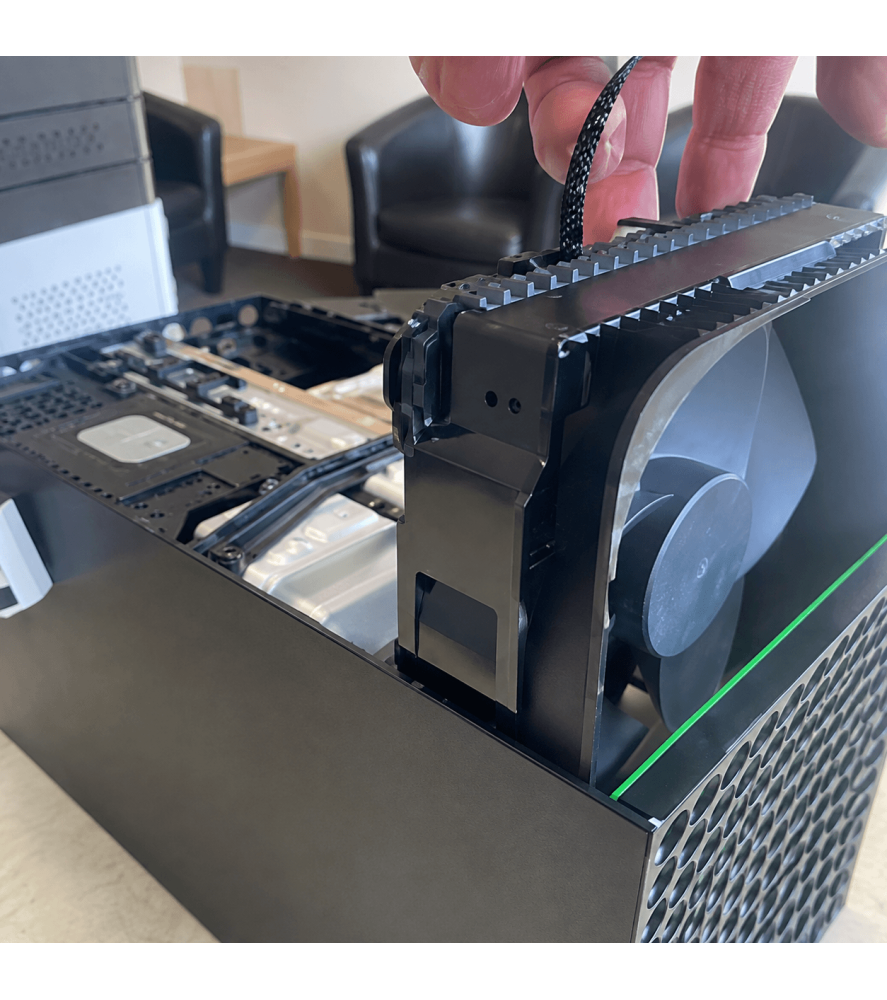
The heatsink is responsible for transferring heat away from the Xbox Series X APU and dissipating it into the airflow passing through the console.
Because air is continually drawn through the Xbox Series X during operation, dust can gradually collect between the heatsink fins.
A layer of compacted dust can restrict airflow even if the cooling fan itself is operating perfectly.
As part of this service, the console is dismantled so the heatsink can be properly accessed and cleaned rather than simply attempting to blow dust through the external ventilation holes.
Removing this contamination allows air to move through the heatsink more effectively.
Arctic MX-4 Thermal Compound Replacement
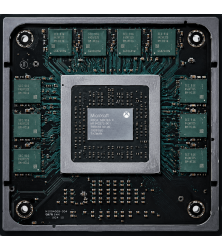
Thermal compound is used between the Xbox Series X APU and its cooling assembly to assist the transfer of heat away from the processor.
As part of our full service, the existing thermal compound is removed and replaced with fresh Arctic MX-4 high-performance thermal compound.
The old compound is carefully cleaned away before the replacement compound is applied during reassembly.
This forms an important part of restoring effective heat transfer between the APU and the cooling system.
Xbox Series X Thermal Strips Replaced
The Xbox Series X also uses thermal interface material for other heat-producing components within the console.
As part of our £69.99 full service, the internal thermal strips are replaced.
This means the service addresses more than visible dust contamination and includes renewal of the thermal materials used within the cooling system.
This Repair Does Not Include a Replacement Fan
This is an Xbox Series X full cooling service and does not include replacement of the cooling fan.
A loud fan does not necessarily need replacing. If the fan is increasing in speed because the console is running too hot, cleaning and servicing the cooling system may resolve the underlying problem.
However, if the fan itself has developed a mechanical or electrical fault, replacement may be required.
Signs that the actual fan may be faulty can include:
• Fan not spinning
• Grinding or mechanical noises
• Fan blades physically damaged
• Fan repeatedly attempting to start and stopping
If inspection shows that your cooling fan itself is faulty, fan replacement is a separate repair and an additional charge will apply.
We will contact you before carrying out additional repair work.
Noisy Fan or Faulty Fan – What's the Difference?
It is important to distinguish between a fan that is running fast because the console is hot and a fan that is mechanically faulty.
If the fan sounds like it is moving a large amount of air and becomes progressively faster while playing demanding games, the cooling system may simply be struggling to control the temperature.
This can happen when dust restricts the heatsink or thermal transfer has deteriorated.
If the fan makes grinding, scraping, rattling or other abnormal mechanical noises, the fan assembly itself may instead require replacement.
Console Wizard offers a separate Xbox Series X fan replacement service where the fan is confirmed to be faulty.
Xbox Series X Overheating After Years of Use
Cooling performance can gradually deteriorate as an Xbox Series X accumulates hours of use.
Dust is drawn into the console with the cooling airflow and can build up internally over time.
The amount of contamination varies depending on the environment in which the console is used, its position and the amount of time it has been operating.
A console that previously operated quietly may therefore begin running its fan faster or shutting down as its cooling efficiency deteriorates.
A professional internal service allows the cooling system to be accessed and cleaned properly.
Why External Cleaning Isn't the Same as a Full Service
Cleaning dust from the outside of the Xbox Series X can help keep the ventilation openings clear, but it does not provide access to contamination trapped deeper within the cooling system.
Dust can accumulate within the heatsink where it cannot be properly removed without dismantling the console.
Our full service involves stripping down the Xbox Series X so the heatsink and internal cooling components can be accessed directly.
This also allows the original thermal compound and internal thermal strips to be replaced.
Not Every Xbox Series X Shutdown Is Caused by Overheating
An Xbox Series X shutting itself down does not automatically mean that the console is overheating.
Other hardware faults can produce similar symptoms, including power supply and motherboard problems.
An overheating console will often show other clues such as increased fan speed, excessive heat or shutdowns occurring under heavier gaming loads.
If inspection or testing indicates that the shutdown is being caused by another hardware fault rather than the cooling system, we will explain what has been found before carrying out a different repair.
Xbox Series X Overheating or Power Supply Fault?
A console that suddenly switches off can sometimes have a power-related fault rather than an overheating problem.
If the Xbox Series X shuts down despite operating at a normal temperature, or loses power without the cooling fan becoming noticeably faster, further diagnosis may be required.
Console Wizard also provides dedicated Xbox Series X power supply and component-level motherboard repair services for consoles where the shutdown is not caused by overheating.
Correct diagnosis prevents unnecessary replacement of components that are functioning normally.
3-Month Xbox Series X Overheating Repair Warranty
A successfully completed Xbox Series X overheating full service receives our standard:
3-month warranty covering the original repaired fault.
The warranty relates to the original fault and service work carried out by Console Wizard.
It does not provide a general warranty covering unrelated components or different faults that subsequently develop.
New accidental, physical or liquid damage is also not covered by the original repair warranty.
Local Xbox Series X Overheating Repair in Bolton
Looking for an Xbox Series X overheating repair or full service in Bolton?
Console Wizard provides professional Xbox Series X servicing from our repair centre at 517 Tonge Moor Road, Bolton, Greater Manchester, BL2 3BG.
Local customers can bring their Xbox Series X directly to us if the console is overheating, becoming excessively noisy or shutting itself down during games.
No appointment is required during our normal opening hours.
UK-Wide Xbox Series X Overheating Repair
You do not need to live near Bolton to use Console Wizard.
We provide Xbox Series X overheating repairs and full servicing to customers throughout the UK.
Customers outside the local area can send their console to our Bolton repair centre using our UK collection and delivery service.
The console is professionally serviced and tested before being returned to you.
Xbox Series X Overheating & Full Service FAQs
Why is my Xbox Series X overheating?
Restricted airflow through a dust-contaminated heatsink and deteriorated thermal compound are possible causes. Other cooling or hardware faults can also cause overheating, so the console should be inspected if the problem persists.
Why does my Xbox Series X shut down when playing games?
If the console cannot control its internal temperature, it may shut itself down. This can become more noticeable with demanding games that place a greater load on the hardware. Power supply or motherboard faults can also cause unexpected shutdowns.
Why is my Xbox Series X fan suddenly so loud?
The console can increase fan speed when additional cooling is required. If the heatsink is restricted with dust or heat transfer has deteriorated, the fan may work harder to control the temperature.
Does this service include cleaning the heatsink?
Yes. The Xbox Series X is dismantled so the internal cooling system and heatsink can be properly cleaned.
Do you replace the thermal compound?
Yes. The original thermal compound is removed and replaced with fresh Arctic MX-4 high-performance thermal compound.
Do you replace the thermal strips?
Yes. The internal thermal strips are replaced as part of this full service.
Does the £69.99 service include a new fan?
No. This is a full cooling service rather than a fan replacement. If the cooling fan itself is faulty and requires replacement, this is a separate repair and additional charge.
Does a loud Xbox Series X fan always need replacing?
No. A fan may simply be running faster because the console is becoming too hot. Mechanical noises such as grinding, scraping or rattling are more likely to indicate a problem with the fan itself.
Is the service covered by a warranty?
Yes. A successfully completed service receives our standard 3-month warranty covering the original repaired fault.
Can I bring my Xbox Series X directly to you?
Yes. Local customers can bring their console directly to Console Wizard at 517 Tonge Moor Road, Bolton, Greater Manchester, BL2 3BG. No appointment is required during our normal opening hours.
Can I send my Xbox Series X to you for an overheating repair?
Yes. We provide a UK-wide Xbox Series X repair service for customers who cannot bring their console directly to our Bolton repair centre.
Why Choose Console Wizard for Xbox Series X Overheating Repair?
An Xbox Series X that becomes increasingly noisy, overheats or shuts itself down during demanding games may no longer be cooling itself effectively.
Our £69.99 Xbox Series X full service addresses the cooling system rather than simply assuming that a loud fan needs replacing.
The console is professionally dismantled, the internal cooling system and heatsink are cleaned, the original thermal compound is removed and replaced with Arctic MX-4 high-performance thermal compound, and the internal thermal strips are replaced.
If the fan itself is mechanically or electrically faulty, we will identify this separately rather than including an unnecessary fan replacement as part of the standard service.
A successfully completed service receives our standard 3-month warranty covering the original fault.
Console Wizard has provided professional electronics and games console repair services since 2008, with repairs carried out from our repair centre in Bolton, Greater Manchester.
Local customers can bring their console directly to us, while our UK-wide Xbox Series X repair service allows customers throughout the country to send their overheating console to us for professional servicing.

 Security policy
 Delivery policy
 Return policy